
How Check-In Kiosks Help Communities Manage Amenities, Events, and Resident Participation
.png)
For today’s master-planned communities, lifestyle programming is no longer limited to a calendar of events or a few shared amenities. Residents are using fitness centers, pools, clubhouses, paid programs, classes, special events, and limited-use experiences throughout the week.
That level of activity creates a new operational challenge for community teams: how do you know who is actually showing up?
Reservations and registrations are important, but they only tell part of the story. To understand real participation, communities need a simple way to connect planned activity to actual attendance.
That is where check-in kiosks add value.
With OneCredential® Kiosk Check-In, communities can manage amenity entry, event attendance, and pass redemption seamlessly within their app. Residents get a faster arrival experience, while community teams gain real-time visibility into who is entering and participating in resident activities.
What Is a Check-In Kiosk?
A check-in kiosk is a digital entry point that allows residents to confirm their identity and participation when they arrive at an amenity, event, class, or program.
With OneCredential Kiosk Check-In, residents can check in using an NFC-enabled credential or by entering a manual code. From there, staff can view resident details, confirm eligibility, validate access, redeem passes, and track attendance in real time.
Instead of relying on paper lists, manual headcounts, spreadsheets, or disconnected systems, community teams get one consistent check-in process across multiple resident experiences.
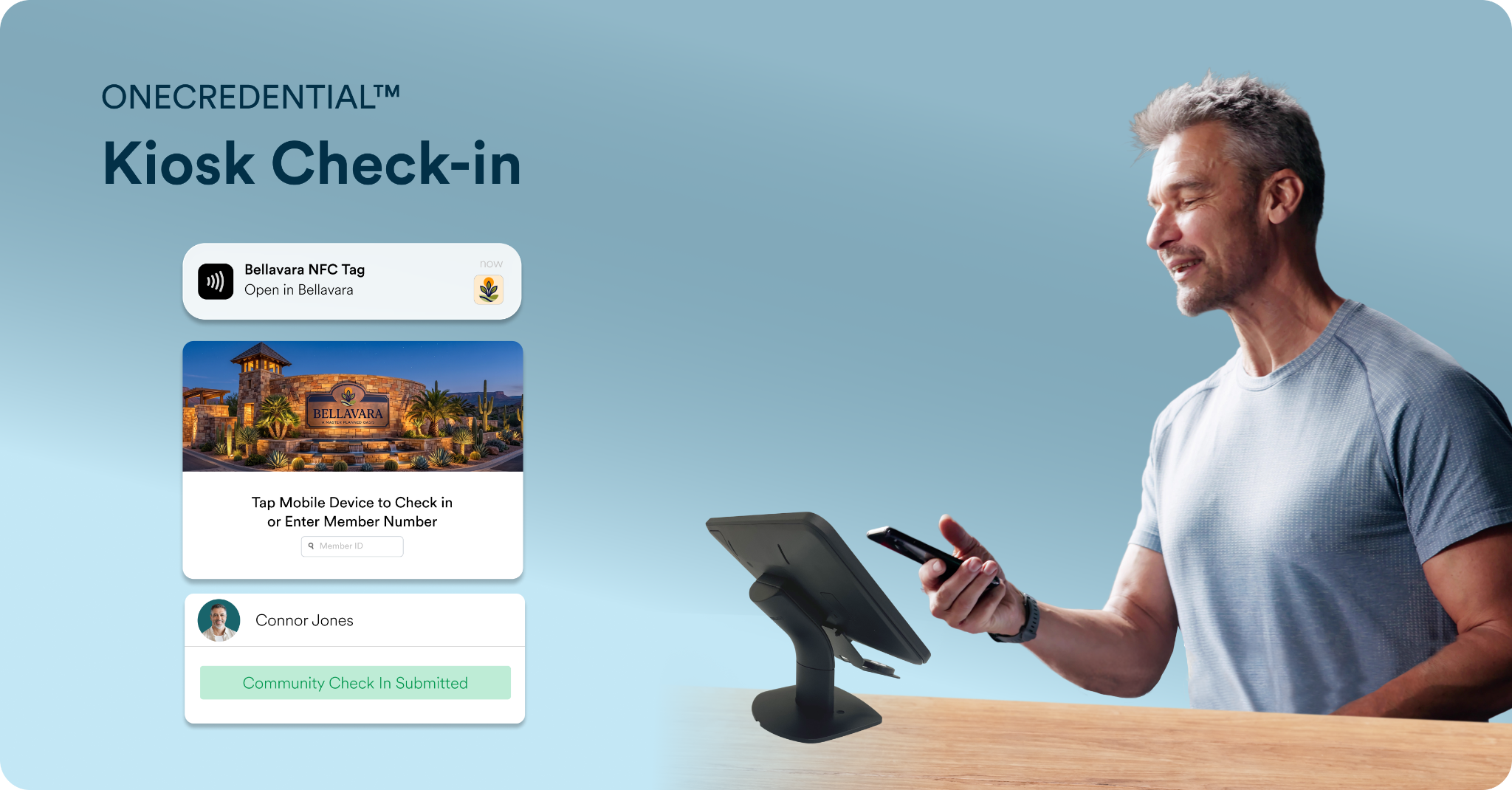
Amenity Check-In: Better Visibility Into Shared Space Usage
High-traffic amenities like fitness centers, pools, clubhouses, and courts can now be supported with accurate entry data. Teams can see who has entered, who is using each space, and when activity is happening.
Amenity check-in helps communities validate who is entering a shared space without slowing down the resident experience.
Residents can tap their device or enter a code at the kiosk. Staff then confirm the resident’s identity, access permissions, and usage eligibility. This helps reduce tailgating by creating a clear check-in system for each resident, giving teams a more reliable way to monitor activity and verify that each person entering the space is connected to an eligible resident profile.
For community teams, the value is not just security. It is visibility. Amenity check-in gives teams a clearer picture of how spaces are being used, when demand is highest, and where additional oversight may be needed.
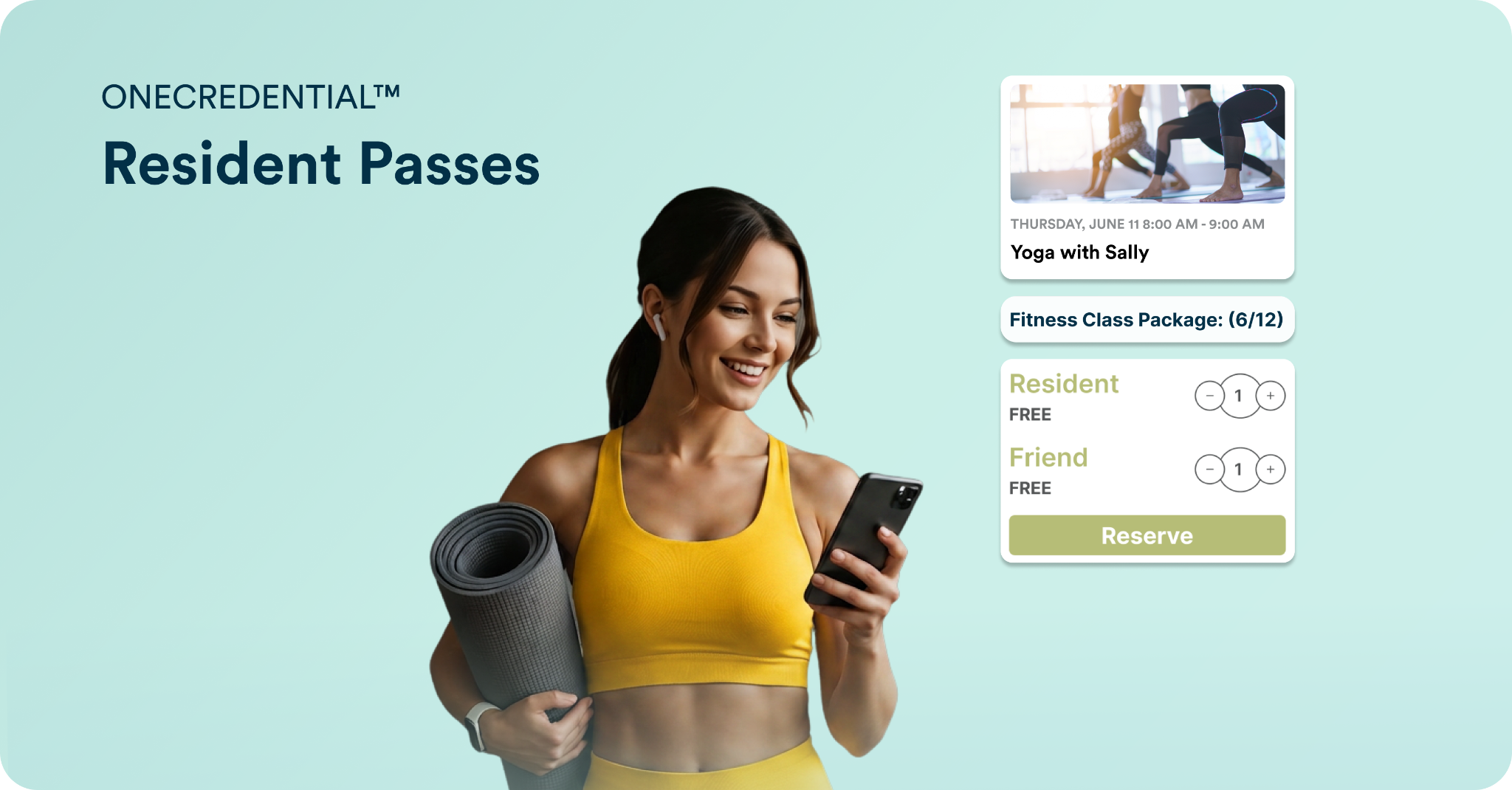
Pass-Based Check-In: Manage Limited-Use and Paid Participation
Many communities offer programs or amenities that require passes, bundles, or usage limits. This could include community provided pool passes, paid fitness class packs, CSA boxes, special programming, or limited-use amenity access.
Check-In Kiosks replace the manual management of these experiences. Teams can track redemptions, confirm eligibility, approve usage, and reconcile participation in one system.
Pass-based check-in creates a more flexible and controlled process.
Residents can redeem purchased or community-provided passes at entry using their NFC-enabled credential or manual code. Teams can support bundled passes, limited-use access, and even multiple pass redemptions in a single check-in for children, guests, or household members.
This gives residents more flexibility in how they participate, while giving teams a simple way to manage usage rules, validate redemptions, and track participation.
.png)
Event Check-In: Connect Reservations to Real Attendance
Event registration tells teams who planned to attend. Check-in data shows who actually arrived.
That distinction matters.
With event check-in, each resident’s RSVP is connected directly to their arrival. When residents check in using their ID code or NFC-enabled credential, their scheduled events for the day display at the kiosk, allowing staff to confirm the right person is attending and update attendance in real time.
This helps teams move away from paper lists and manual attendance tracking. It also creates a more accurate view of event participation, especially for high-volume events where fast check-in matters.
For teams managing lifestyle programming, this data can support better planning over time. They can see which events generate reservations, which events drive actual attendance, and where no-shows or capacity issues may be affecting the resident experience.
Why Check-In Kiosks Matter for Community Operations
Check-in kiosks add value because they connect three important parts of the resident experience: reservations, eligibility, and actual participation.
For residents, the value is convenience. They can arrive, tap or enter a code, and keep moving.
For community teams, the value is operational control. Staff can confirm who is entering a space, validate access, manage passes, track attendance, and monitor usage in real time.
This creates a more consistent process across amenities and events while reducing manual oversight.
Check-in kiosks can help communities:
- Track amenity usage in real time
- Validate resident eligibility before entry
- Reduce tailgating and ineligible access
- Redeem and manage resident passes
- Confirm event attendance without paper lists
- Support high-volume check-ins
- Understand participation trends
- Make more informed staffing, programming, and amenity decisions
Riverland Success Story: Kiosk Check-In at Scale
Riverland, a 4,000-acre 55+ master-planned community in Port St. Lucie, Florida, needed a better way to manage high-volume amenity usage.
More than 7,000 people pass through the fitness center at Riverland each week. With that level of activity, the community team needed a more secure, accountable way to manage facility entry without slowing residents down.
QR codes and key fobs did not provide the level of verification the team needed. Riverland wanted a faster and more reliable way to confirm who was entering the facility.
Using OneCredential Kiosk Check-In, residents can tap their phone or enter their code to check in within seconds. Staff can instantly view each resident’s name, photo, and account details to confirm eligibility before entry.
Since implementing Alosant powered Check-In Kiosks, Riverland has recorded 16,531 successful check-ins across four kiosks.
For Riverland, check-in kiosks are helping create stronger facility oversight, better resident flow, and greater confidence for community teams managing high-traffic spaces.
Read the full Riverland case study to see how Riverland uses OneCredential Kiosk Check-In to support high-volume amenity entry.
The Bigger Value: From Reservation Data to Participation Data
As communities continue to invest in lifestyle programming, amenities, events, and resident engagement, participation data becomes more important.
It is no longer enough to know what residents reserved. Communities also need to know what they used, attended, and redeemed.
Check-in kiosks help close that gap.
By connecting reservations, amenity entry, event attendance, and pass usage, communities gain a more accurate picture of resident participation. That data can help teams improve programming, understand amenity demand, support staffing decisions, and create a smoother resident experience.
For growing active adult and amenity-rich master-planned communities, Check-In Kiosks are more than an entry tool. It is a practical way to bring visibility, consistency, and accountability to the resident experience.
FAQs About Community Check-In Kiosks
What can a community use a check-in kiosk for?
A community can use a check-in kiosk for amenity entry, event attendance, resident pass redemption, fitness class check-ins, clubhouse access, pool entry, and other resident participation experiences.
How do residents check in at an Alosant-powered kiosk?
Residents can check in using an NFC-enabled credential on their mobile device or by entering a manual code. This gives communities a fast digital check-in process while still supporting residents who may not use mobile credentials.
How do check-in kiosks help community teams?
Check-in kiosks help teams confirm resident identity, validate eligibility, track amenity usage, manage pass redemption, reduce manual attendance tracking, and monitor participation in real time.
Can check-in kiosks connect to event reservations?
Yes. With OneCredential Kiosk Check-In, event reservations can be connected to attendance check-in so teams can see who reserved and who actually attended.
Why are check-in kiosks valuable for high-traffic amenities?
For high-traffic spaces like fitness centers, pools, and clubhouses, check-in kiosks give teams better visibility into who is entering and using the space. This helps reduce ineligible entry, improve oversight, and support a smoother resident experience.
.png)
.jpeg)